The 2026 HRIS Readiness Checklist: What Every Company Should Prepare Before Implementation
Let's be honest: HRIS implementations can go sideways fast. You've probably heard the horror stories: systems that don't talk to each other, employee data that disappears into the void, and payroll disasters that make your best people question their life choices.
But here's the thing: most HRIS failures aren't because of bad software. They're because companies rush into implementation without doing the groundwork. In 2026, with tighter compliance requirements and higher employee expectations, that preparation phase is more critical than ever.
This checklist will walk you through exactly what you need to have ready before your HRIS goes live. No fluff, no theoretical concepts: just the practical stuff that separates smooth implementations from expensive mistakes.
Start With Your Implementation Team
Assemble Your Core Team
Don't try to go it alone. Your HRIS implementation needs people who understand different pieces of your business:
HR lead (someone who knows your current processes inside and out)
IT representative (doesn't need to be your CTO, but someone who gets systems and integrations)
Finance/Payroll person (because when payroll breaks, everything breaks)
Department managers (they'll catch workflow issues you might miss)
Employee advocates (volunteer a few people to test and give feedback)
Define Roles and Responsibilities
Write down who owns what. Your vendor will handle the technical setup, but they can't read your mind about how your company actually works. Make sure someone internally owns data migration, process documentation, and user training.

Audit Your Current State
Document Everything You Do Now
Before you can improve your HR processes, you need to know what they actually are (not what you think they are). Map out:
How new employees get onboarded
Your current payroll cycle and approvals
Benefits enrollment processes
Time-off request workflows
Performance review cycles
Compliance reporting requirements
Clean Up Your Data
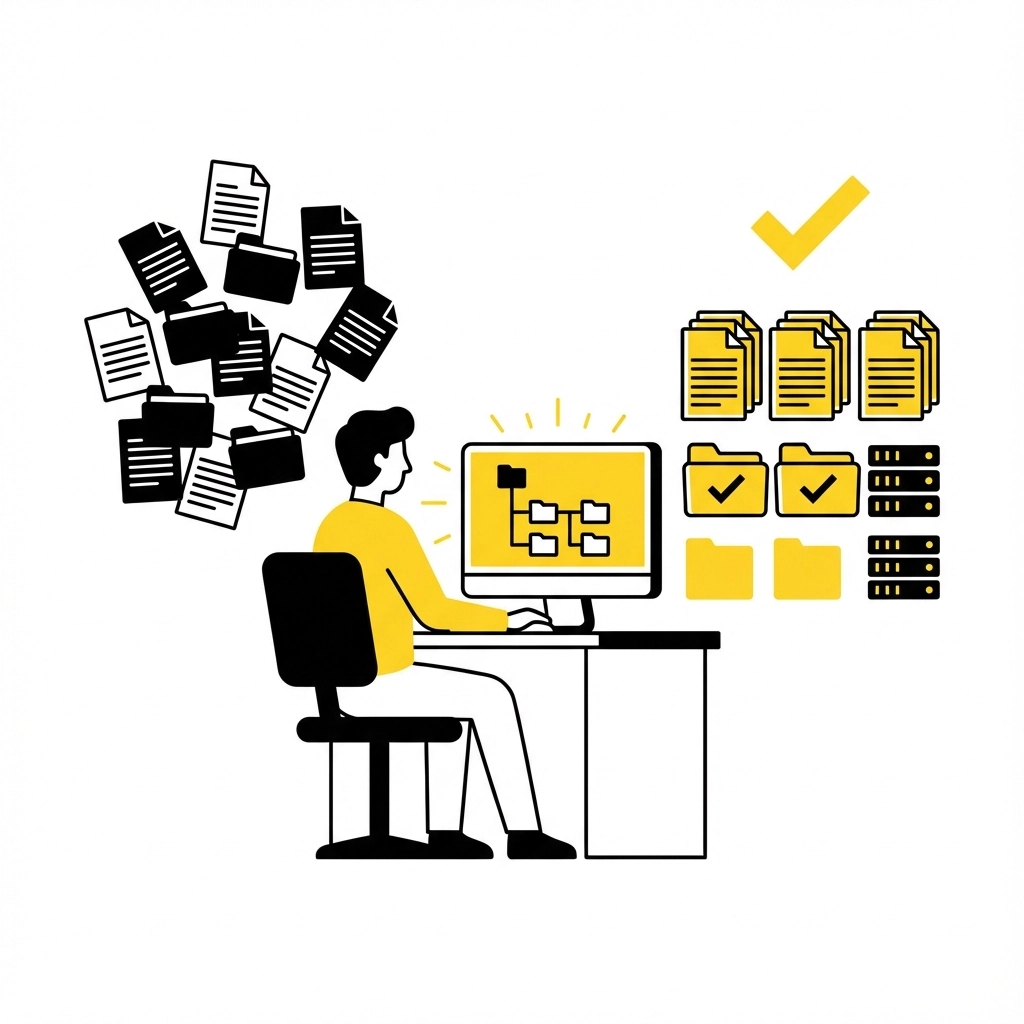
This is where most companies try to cut corners, and it always bites them later. You cannot dump messy data into a new system and expect it to magically organize itself.
Create a data inventory:
Employee records (current and terminated)
Payroll history
Benefits information
Time and attendance records
Training records
Compliance documentation
Flag any inconsistencies now. Missing Social Security numbers, outdated addresses, duplicate employee records: fix these before migration, not after.
Handle Compliance Requirements
Know Your Legal Obligations
2026 brought some new compliance headaches, especially around data privacy and wage transparency. Your HRIS needs to handle:
Payroll tax compliance (varies by state and gets updated constantly)
I-9 verification and document management
EEO reporting if you have 100+ employees
State-specific requirements like California's pay equity audits or New York's salary disclosure laws
Data privacy regulations if you have remote employees in different states
Review Your Policies
Your HRIS will enforce your policies, so make sure they're actually current:
Employee handbook
PTO policies
Remote work guidelines
Benefits eligibility rules
Disciplinary procedures
If your policies don't match what you're actually doing, fix that disconnect before implementation.
Prepare Your Technical Infrastructure
Check System Integrations
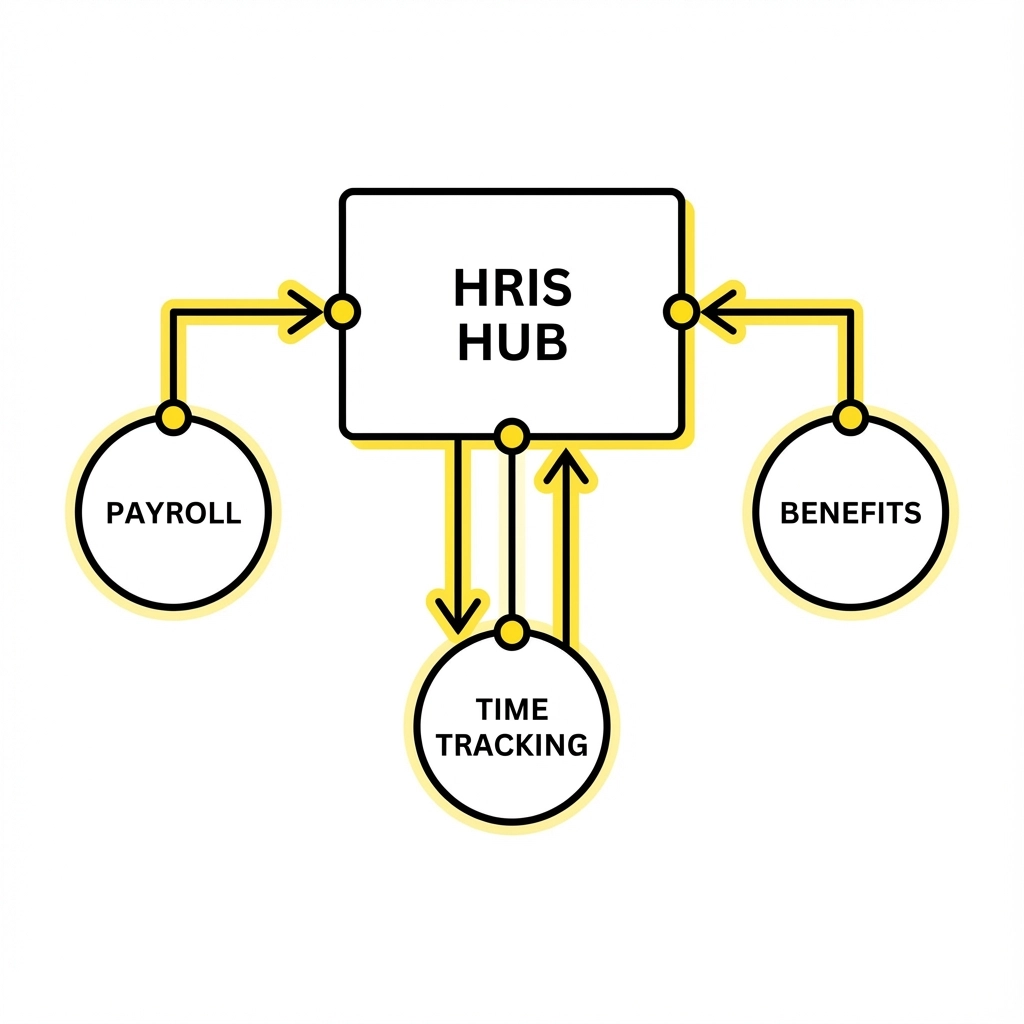
Your HRIS doesn't exist in a vacuum. It needs to play nice with:
Your payroll system (if separate)
Benefits providers
Time tracking tools
Accounting software
Background check providers
Map out every system that touches HR data and figure out how they'll connect. Some integrations are automatic; others require custom work: know the difference before you commit to a timeline.
Plan for Data Security
HR systems store sensitive information. Make sure you have:
Secure data transmission protocols
Role-based access controls
Regular backup procedures
Audit trails for data changes
Incident response procedures
Platform-Specific Considerations
If You're Implementing Paylocity
Paylocity shines with its user experience, but prep work is crucial:
Set up your organizational chart accurately: their reporting features depend on it
Prepare your benefit plan details in advance; their benefits admin tools are comprehensive but need complete setup
Plan extra time for their mobile app training: employees love it once they know how to use it
If You're Going with UKG
UKG's strength is in workforce management, but it requires more detailed configuration:
Map your pay codes and overtime rules precisely: UKG can handle complex scenarios but needs exact specifications
Prepare your scheduling requirements if using UKG Pro WFM
Budget time for their analytics training: the reporting capabilities are powerful but have a learning curve
Develop Your Training Strategy
Create Role-Based Training Plans
Not everyone needs to know everything. Break your training into groups:
Managers: Approvals, reporting, performance management
HR team: Full system administration, compliance reporting
Employees: Self-service functions, time entry, benefits enrollment
Payroll: Processing, corrections, reporting
Prepare Training Materials
Don't rely entirely on vendor training. Create internal resources:
Quick reference guides for common tasks
FAQ documents for your specific setup
Video walkthroughs for complex processes
Contact information for internal support
Plan Your Rollout Communication
Start talking to employees early. Let them know:
What's changing and when
How it will affect their daily routine
What training will be available
Who to contact with questions
Test Everything Before Go-Live
Run Parallel Systems
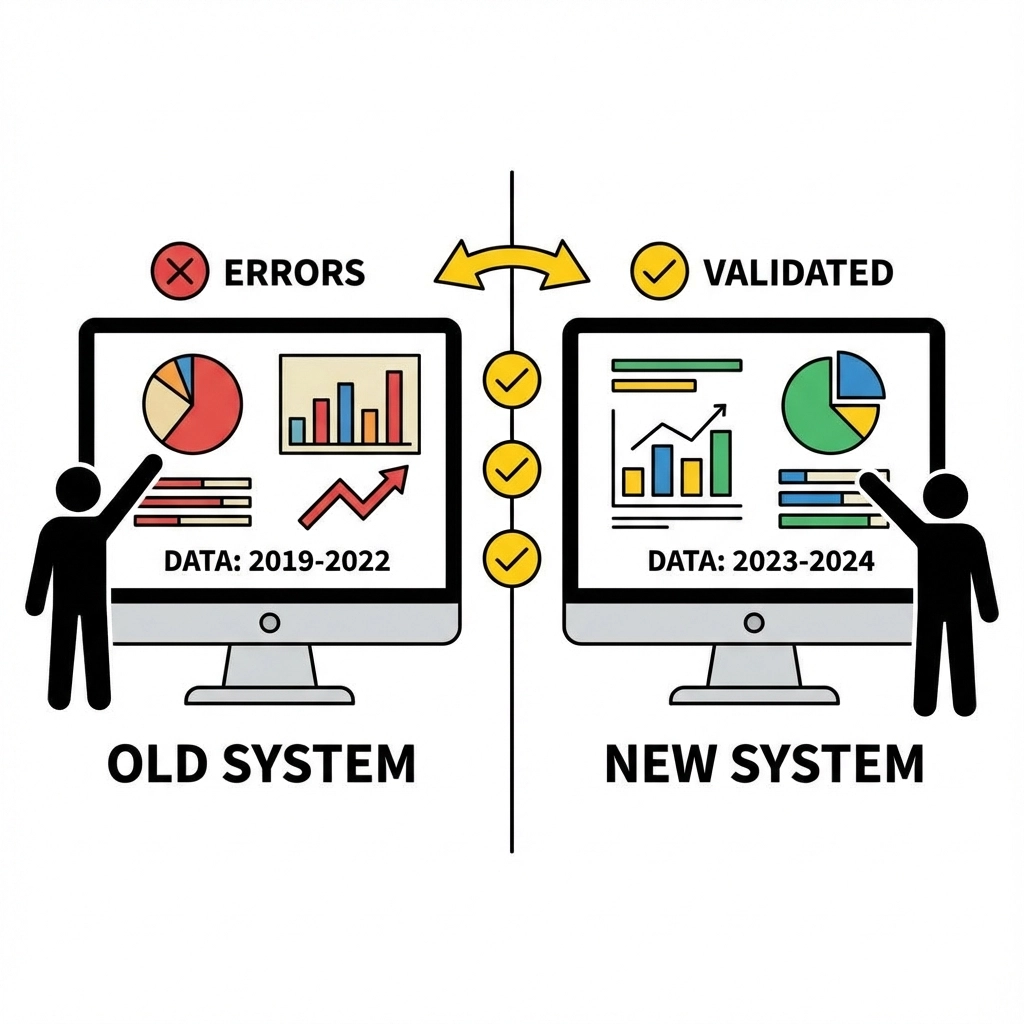
For at least one full payroll cycle, run your old system alongside the new one. Compare every number. This catches calculation errors, missing data, and integration problems before they affect real paychecks.
Test Common Scenarios
Don't just test the happy path. Try edge cases:
New hire starting mid-pay period
Employee requesting PTO during their first week
Manager approving overtime after payroll cutoff
Benefits changes during open enrollment
Validate Compliance Reporting
Run sample reports for all your compliance requirements. Make sure the data flows correctly and formats match what regulators expect.
Plan Your Go-Live Timeline
Set Realistic Expectations
Most HRIS implementations take longer than initially planned. Build buffer time into your timeline, especially around:
Data migration testing
Integration troubleshooting
User training completion
Parallel system testing
Choose Your Go-Live Date Strategically
Don't launch during:
Open enrollment periods
Year-end processing
Peak hiring seasons
Major company events or initiatives
The beginning of a new quarter often works well: less payroll complexity and cleaner reporting periods.
Post-Implementation Preparation
Plan Your Support Strategy
The week after go-live will be chaotic. Prepare for it:
Have extra HR staff available for questions
Set up a dedicated email or chat channel for issues
Create escalation procedures for urgent problems
Plan daily check-ins with your vendor support team
Monitor Key Metrics
Track leading indicators of implementation success:
Employee self-service adoption rates
Help desk ticket volume
Payroll accuracy metrics
Manager approval response times
Getting Started
This checklist might seem overwhelming but remember: every hour you spend in preparation saves you days of cleanup later. Start with the data audit and team assembly. Those two items alone will give you clarity on everything else you need to do.
The goal isn't perfection on day one. It's launching a system that works reliably and gets better over time. Focus on the fundamentals, test thoroughly, and don't skip the training. Your future self (and your employees) will thank you.
Ready to dive deeper into HRIS implementation strategies? Check out our guide on choosing the right HRIS for small businesses or learn about automating HR processes to maximize your new system's impact.
Comments